Legionella mobile client
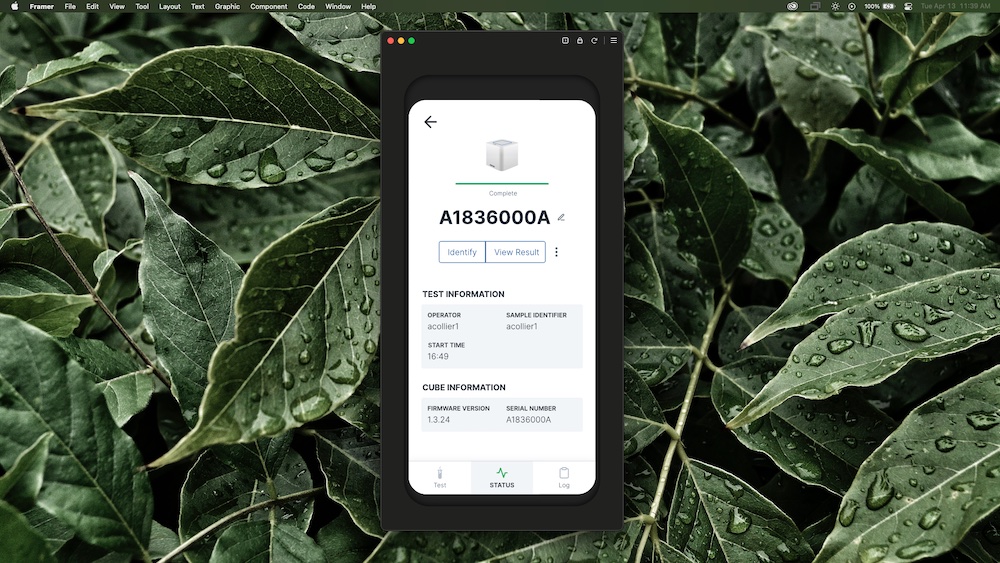
I worked as the sole designer with a mobile developer to bring the Spartan Legionella Test to mobile devices. Many of the core features were designed, and implemented, unfortunately the project was put on the back burner before it was completed.
Background
The Spartan Legionella Test allows property and facilities managers to test water sources (e.g.: cooling towers for large air conditioners) at their sites for legionella bacteria, the cause of Legionnaires' disease.
This mobile client was designed as a successor to the original version of the product. The original version featured a laptop interface to start the Cube and retrieve results (all analysis is performed on the Cube). It was designed as a 1-1 system, with every laptop only capable of interfacing with a single Cube through a wired connection. The Cube did not easily support wireless connections at the time.
Challenges
After the test had been on the market for a couple of months, we found some disconnects between the system configuration and real use cases. For one, the system had a large footprint. This was especially painful for managers of larger sites who needed multiple systems simultaneously.
The 1-1 configuration was also problematic when it came to retrieval of results. You would have to manually check each laptop for the result when the test completes. This was tedious because you would have to remember that you started a test an hour ago, and then log in to each system, record or export the results, and finally input them into your records system.
To address these concerns, we started redesigning the system to:
- Be controlled by a mobile app
- Run wirelessly
- Run in a 1-many, or many-many configuration
- Push results to a remote server
It also had to support the core features of the original system:
- Running a test, and associating the results with a water source at a site
- Providing instructions for a multi-step workflow
- A log to review past results
A note on wireless
To solve the wireless problem, we looked at a number of solutions, including adding wifi connectivity, and a wireless hub that could connect to multiple cubes via USB. Ultimately, for a number of business reasons, it was determined wireless connectivity would be handled by Bluetooth Low Energy (BLE), until the Cube hardware could be properly revised. This severely limited the wireless feature, since Bluetooth is a short-range protocol and only connects in a 1-1 fashion.
Structure and wireframes
I began by determining the app's structure, based around the core features.
The app's structure would end up looking like this after a couple of iterations:
Landing screen
  - Test workflow
    - Data entry, test kit scanning
    - Instructions
    - Review and Confirmation
  - Cube status list
    - Single Cube view
  - Result log
    - Single result view
  - Settings
    - Water sources
    - ...Other settings
After determining structure, I began wireframing key screens. There was a lot of debate around what the data model for water sources would look like, as well as whether it would be managed by end users, or from a central admin server, so I held off on anything to do with that.
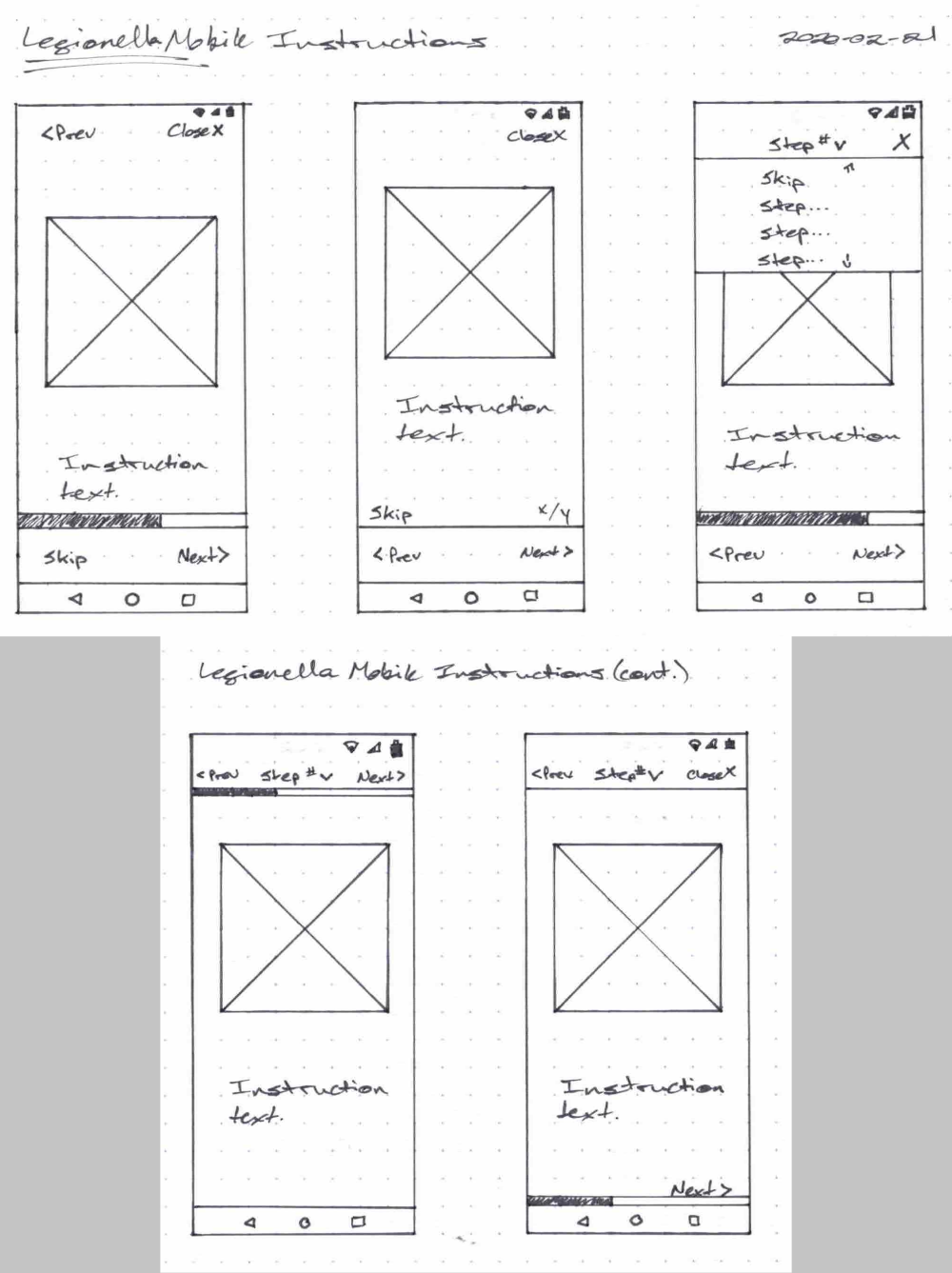
These wireframes let me quickly rule out some of the options and highlight design flaws. For the instructions, a number of wireframes loaded key actions at the top of the screen, which can be difficult to reach on large devices.
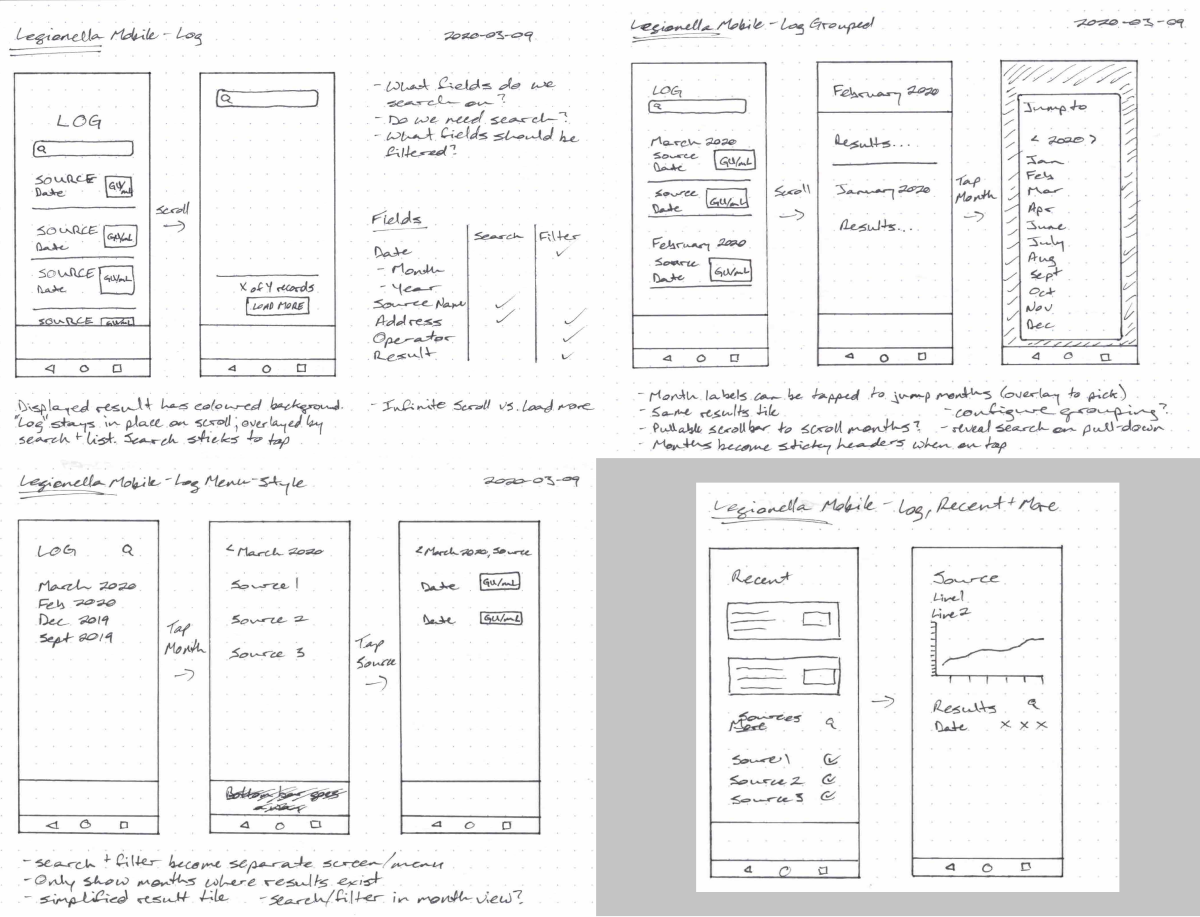
I tried a standard list, a segmented list with sticky headers, a menu, and a mix of detailed recent results followed by summarized results. The wireframes showed me that the segmented list provided the best balance of ease-of-use and information density.
The landing screen design hinged on the navigation scheme, so I put together a prototype in Adode XD, loaded it on my phone, and ran some hallway tests.
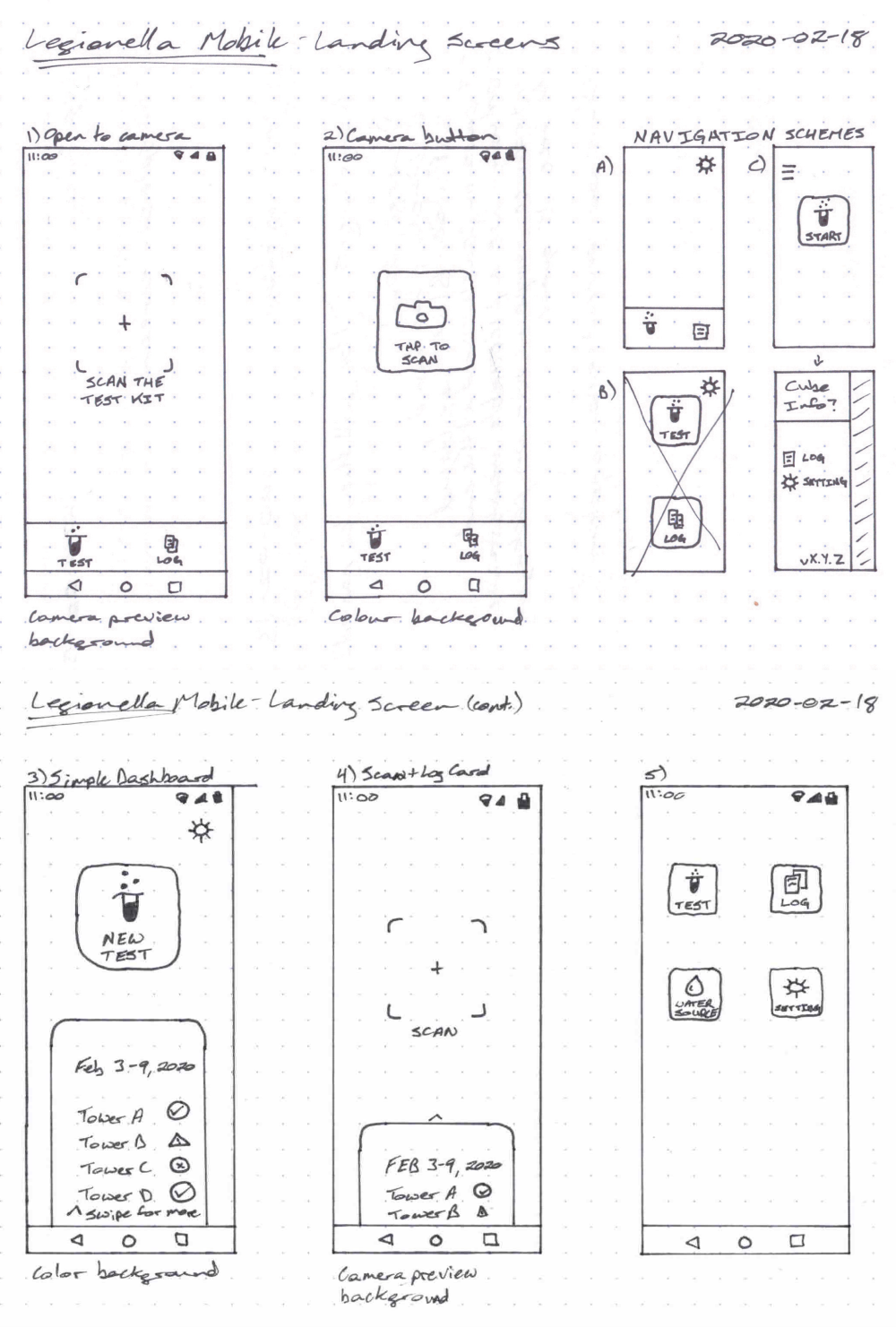
The results of this led me to move forward with bottom bar layout. Participants liked how it let you start the test quickly if you wanted to, and found the result log card confusing.
Design and development
After the initial wireframing, I moved on to prototyping in Framer. This let me use live data, code, and rich interactions to enhance my prototype.
The status screen was a unique challenge with the BLE connection story. BLE doesn't allow for a 1-many connection, so staying connected to monitor Cube status wasn't an option. To make it appear 1-many, we leveraged the advertising packets it sent to periodically update status. For a Cube that was running, we knew a run takes a bit less than an hour to complete, so we would set a timer and show progress based on that timer, or updates from BLE advertisements if they were available. If a user was far from the Cube when the timer completed, they would receive a notification to check the Cube. Otherwise, if they were in range of BLE, they would receive their result.
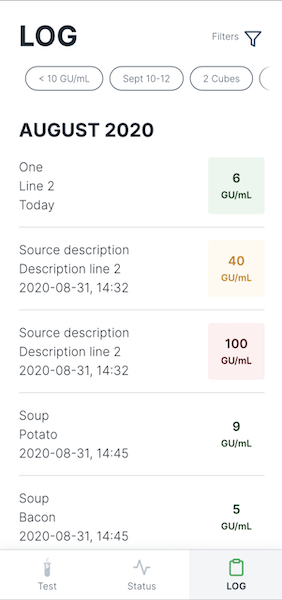
We also implemented a feature to give Cubes meaningful names, and filtering in the log. The filters that had been applied were shown to the user right in the list.
The double slider in the result level filter ended up being finicky to use, just given the extreme range of possible values (0-1000), and how tightly packed the meaningful values are to the start of the range. The plan was to simplify this filter to just the checkboxes, but this potentially could have been adressed by using a non-linear scal for the slider values.
I worked in a tight loop with our developer, handing off features using Framer's handoff tools. If a feature was not possible to implement, or needed revisions, he would flag it, and we would work together to find a solution.
To assist in the development and styling of the app, added a TypeScript definition format, and React Native specific transformations to our design tokens in Theo, and assisted with code related to styling.